Personalize Your Timeline
Your timeline is the heart of LiMinder - the place where every reminder, deadline, and focus session comes together. Now you can make it truly yours with customizable backgrounds.
Three Ways to Customize
Head to Settings → Appearance → Timeline Background to choose your style. You can switch between three modes at any time.
🎨 Solid Color
Pick any color from the picker. Perfect for matching your wallpaper or personal brand.
🌈 Preset Gradients
Six curated gradients - Ocean, Midnight, Rose, Sage, Lavender, and Slate - each with smooth dual-tone transitions.
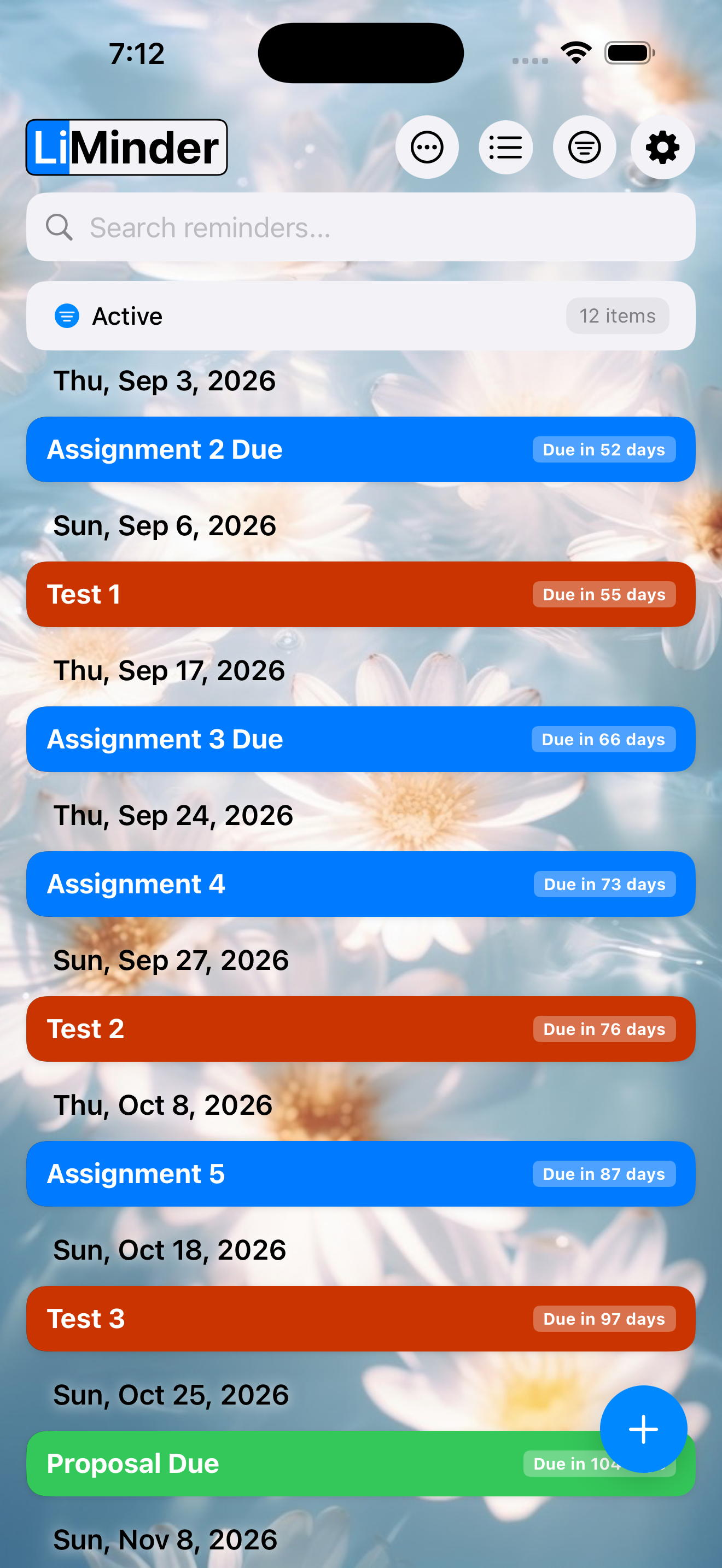
🖼️ Custom Image
Choose a photo from your library. The timeline becomes a canvas for your favorite memories.
Why Background Customization?
A personalized workspace isn't just about looks - it changes how you feel about using the app. Studies in environmental psychology show that personalizing your digital space improves focus and reduces cognitive load. When your timeline reflects your style, you're more likely to check in, stay on top of deadlines, and actually enjoy using your planner.
Built for Performance
Backgrounds are rendered efficiently - gradients use hardware-accelerated LinearGradient,
and images are cached on disk with JPEG compression at 80% quality for fast loading.
The background type is persisted in UserDefaults and can be changed instantly
without any app restart.
Get Started
Update to the latest version of LiMinder from the App Store, then open Settings → Appearance → Timeline Background. Try each mode and find the one that clicks.